About us
GETMARKED helps teachers reuse their quiz questions across a constellation of learning platforms. Teachers can import and export between Kahoot, Wayground, Blooket, Gimkit, Google Forms, Microsoft Forms, Canvas, Blackboard, Word doc, Moodle, Schoology, Brightspace, Edpuzzle and more.
GETMARKED helps teachers reuse their quiz questions across a constellation of learning platforms. Teachers can import and export between Kahoot, Wayground, Blooket, Gimkit, Google Forms, Microsoft Forms, Canvas, Blackboard, Word doc, Moodle, Schoology, Brightspace, Edpuzzle and more.
Step 1: Go to Account >> Settings
Login to your Canvas LMS account. On the top left hand corner, click on the Account icon then Settings. Under the Approved Integration section, click on the + New Access Token button.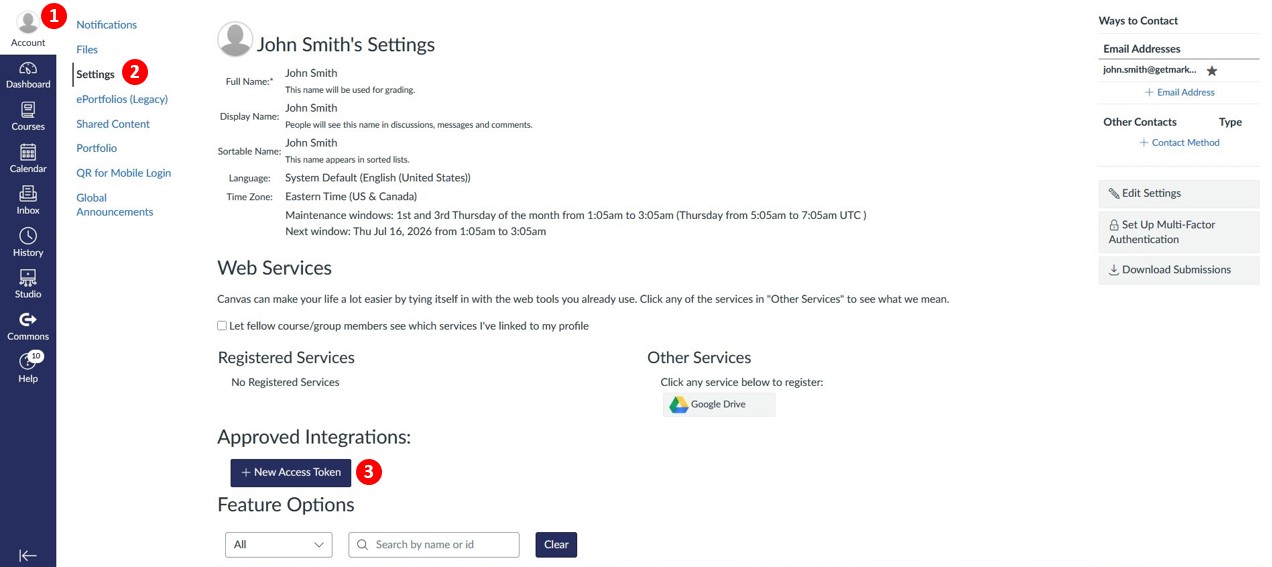
Step 2: Fill up purpose and generate
A dialog box should appear. Fill up the Purpose. This is only for your reference and doesn't affect anything. Leave Expiration date and Expiration time empty unless you want the Access Token to expire at a given date. Click the Generate Token button once you are done.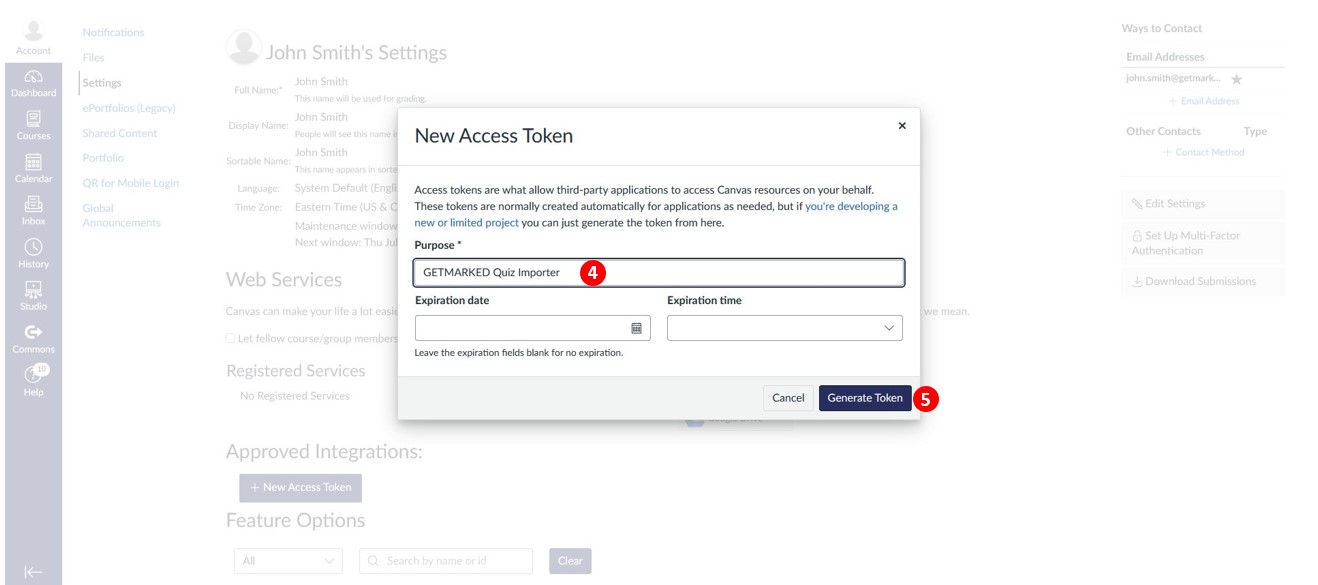
Step 3: Copy the Access Token
A new dialog box will appear containing your Access Token. Copy it. The token will allow programmatic access to your Canvas account. Tools like GETMARKED can use it to import and exports quiz questions on your behalf. Once you close the dialog box, you will not be able to see your Access Token again for security reason.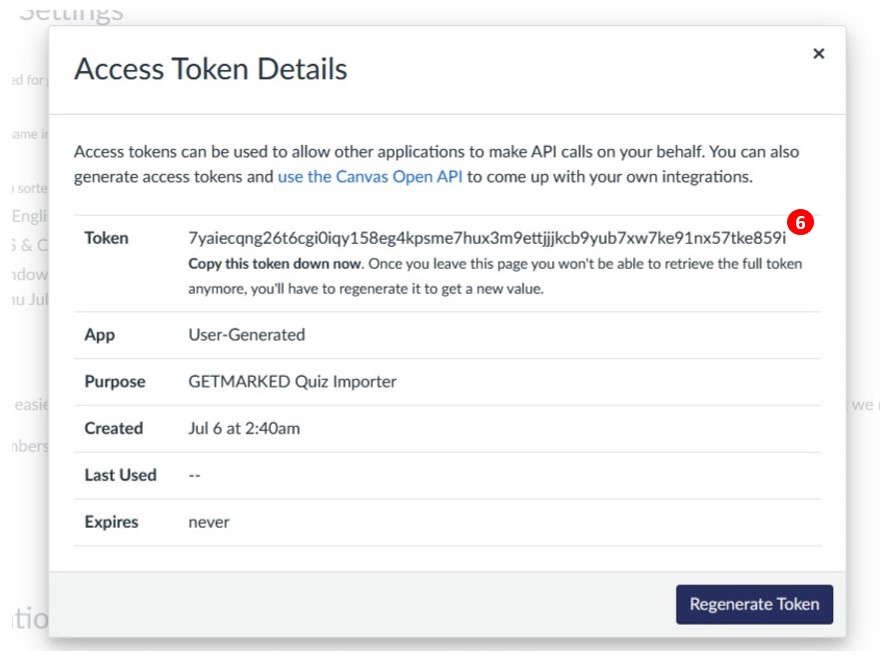
END.