About us
GETMARKED helps teachers reuse their quiz questions across a constellation of learning platforms. Teachers can import and export between Kahoot, Wayground, Blooket, Gimkit, Google Forms, Microsoft Forms, Canvas, Blackboard, Word doc, Moodle, Schoology, Brightspace, Edpuzzle and more.
GETMARKED helps teachers reuse their quiz questions across a constellation of learning platforms. Teachers can import and export between Kahoot, Wayground, Blooket, Gimkit, Google Forms, Microsoft Forms, Canvas, Blackboard, Word doc, Moodle, Schoology, Brightspace, Edpuzzle and more.
Step 1: Register and login to GETMARKED, click on the Wordwall button
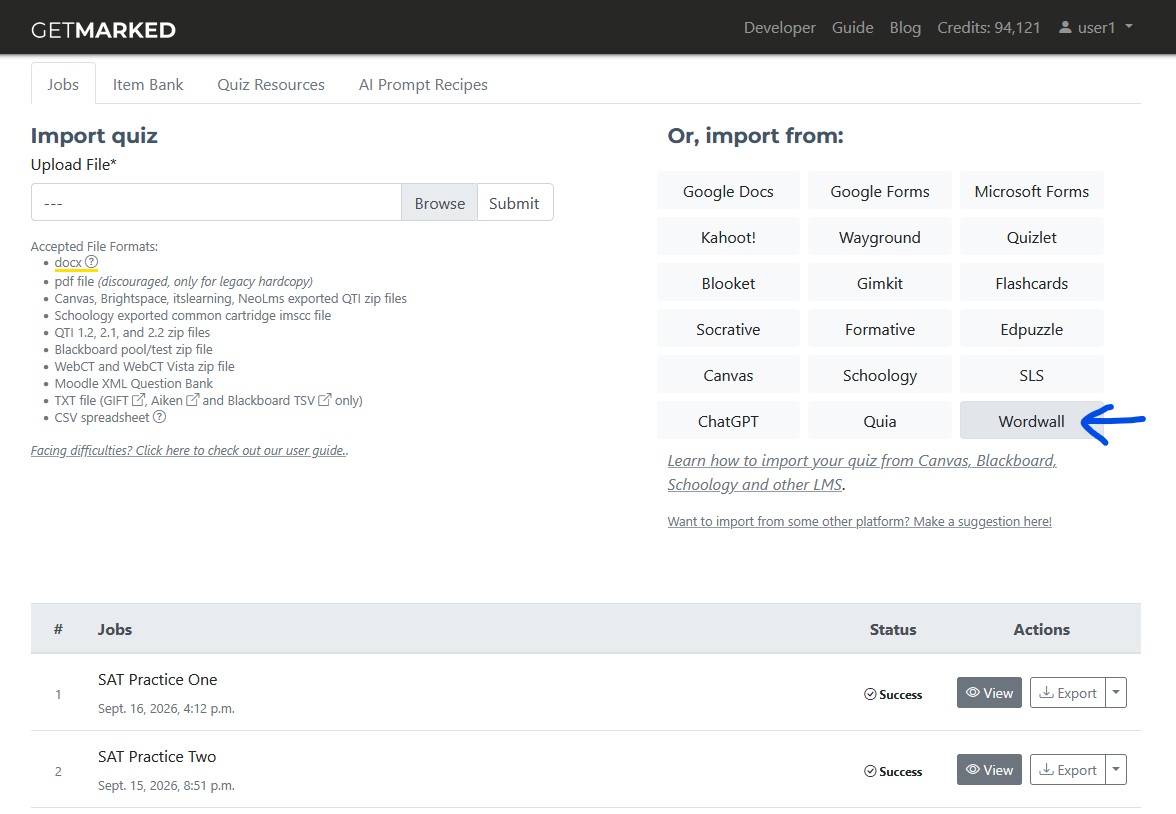
Register and login to GETMARKED. GETMARKED offers custom integration directly with Wordwall to import your quiz data directly. Once logged in, click on the Wordwall grey button in your dashboard.
Step 2: Provide your Wordwall login credentials
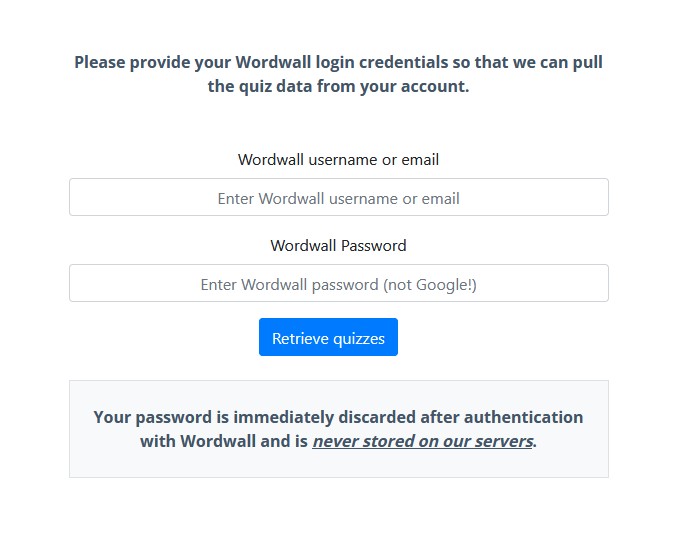
Once you are inside the Wordwall importer page, provide your Wordwall login credentials. Your Wordwall login credentials is only used to authenticate with Wordwall's server and it NEVER stored on GETMARKED's server. GETMARKED will login to Wordwall on your behalf to access your data.
Step 3: Retrieve quizzes
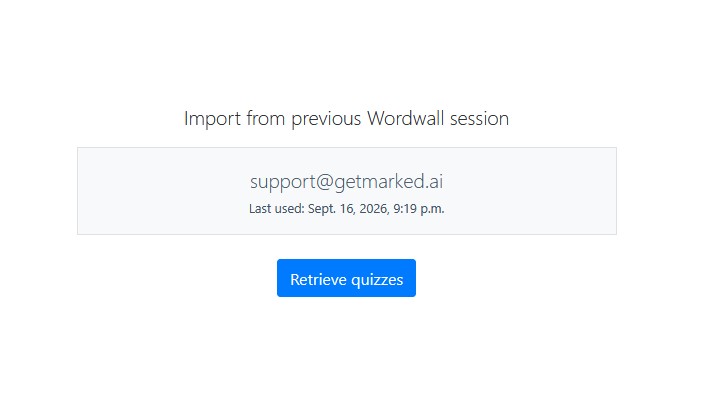
Once authentication is successful, click on the blue "Retrieve quizzes" button to start.
Step 4: Wait for Wordwall quiz to sync
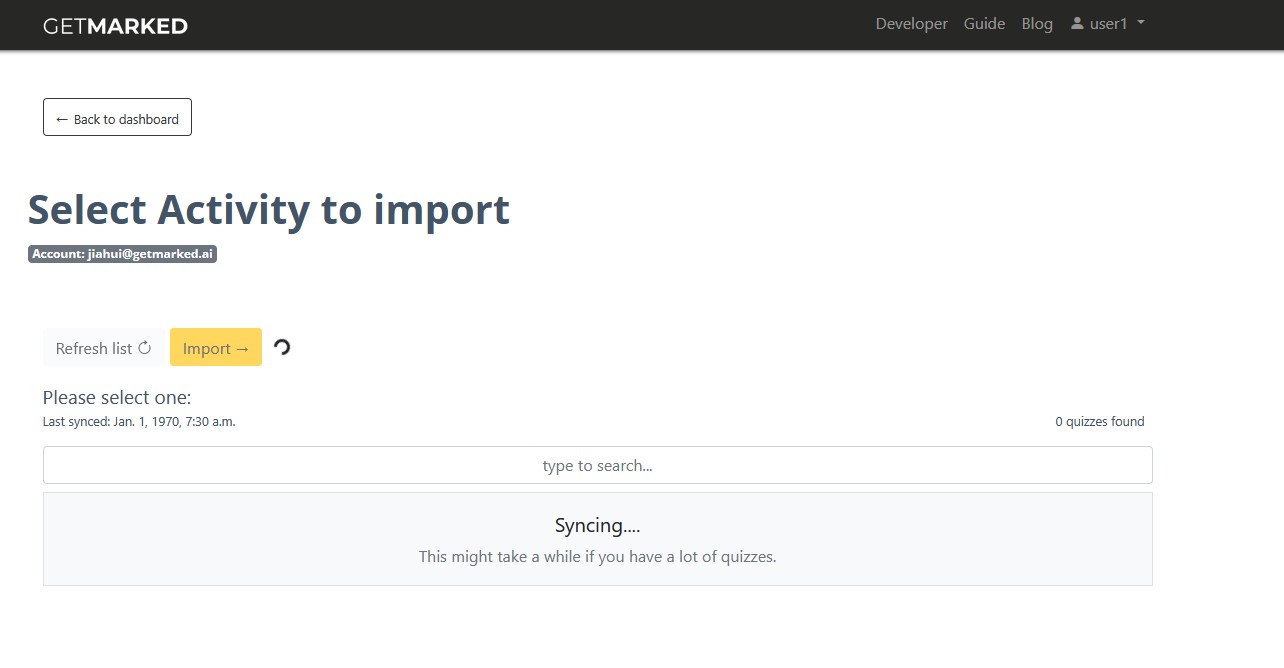
It will take some time for GETMARKED to completely register all quizzes in your Wordwall account. Once synced, all your quizzes will be automatically shown.
Step 5: Select Wordwall quiz and import
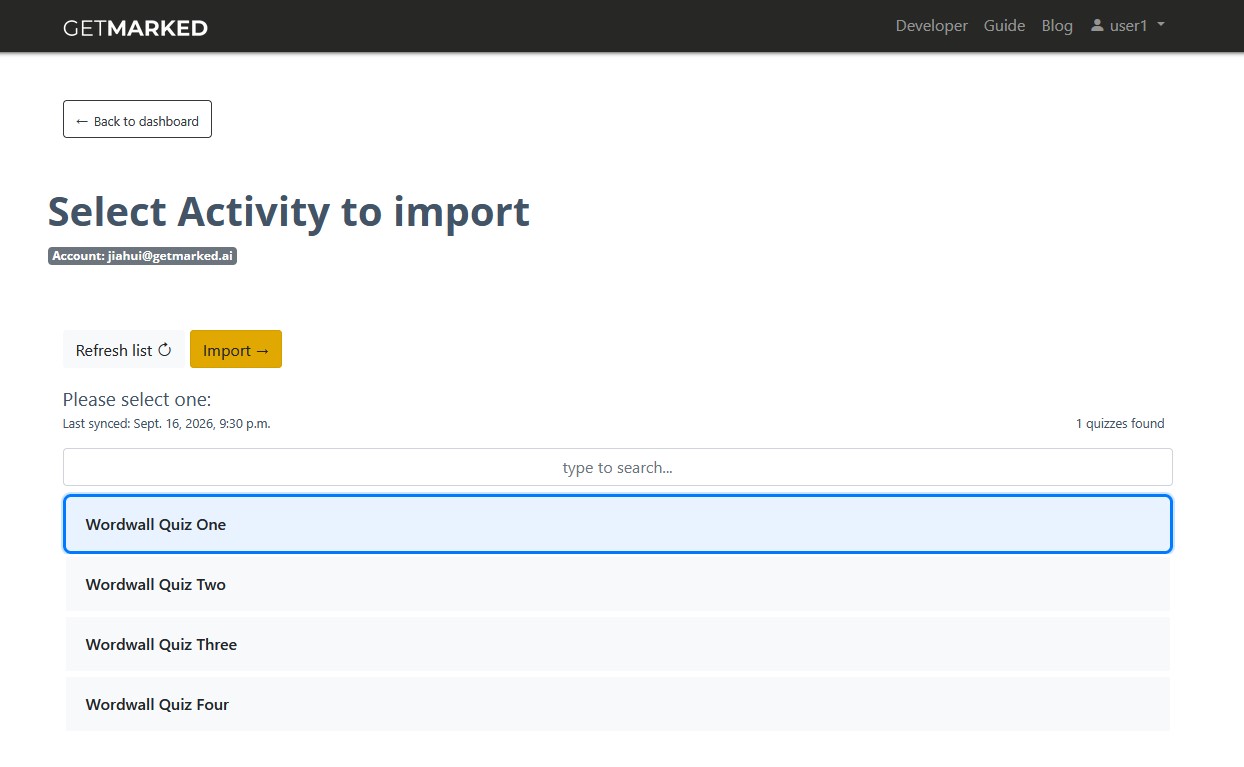
Select the Wordwall quiz you want to import. Then click on the orange import button at the top to import.
Step 6: Export to any learning platform

On successful import, you will be redirected to your dashboard. You can view the imported quiz or export it. Click on the export button to see the platforms we support.
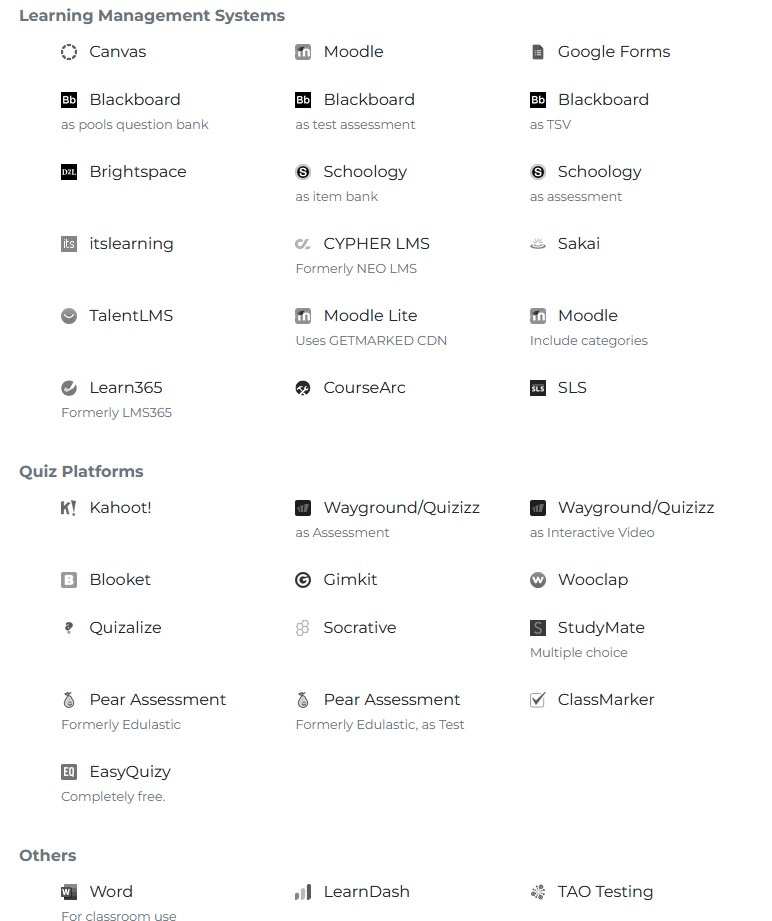
Currently, we support export to Canvas, Blackboard, Kahoot, Blooket, Gimkit, Pear Assessment (fka. Edulastic), Google Forms, Wooclap, Moodle, Schoology, Brightspace, itslearning, NEO LMS, Socrative, Sakai, Quizalize, Studymate, Zoom, Word, Adobe Captivate, QTI and GIFT, covering almost 99% of all LMS in the market.
Congratulations, you have successfully exported your Wordwall quiz into your learning platform!
END.